Best overall for photo-first logging: Ashfuel. Best for detailed nutrient tracking: Cronometer. Best for a traditional food diary: MyFitnessPal. This guide compares the best calorie tracking apps in 2026 by how you log meals, what you learn, and how much daily work you want.
- Ashfuel is the best calorie tracking apps pick for photo-first calorie and macro estimates, plus water and weight tracking.
- Choose Cronometer for micronutrients, MyFitnessPal for a traditional food diary, or Lose It! for calorie-budget tracking.
- Choose MacroFactor when you want calorie targets that adapt using logged intake and weight trends.
- Food-photo estimates cannot reveal every ingredient or measure portions exactly. Treat the numbers as estimates, not medical advice.
Why this matters
A calorie tracker has two jobs: make logging manageable and give you information you can use. Extra features do not help if entering dinner feels like homework. Start with the part of tracking you find hardest, then choose an app that addresses it.
Photo logging, food databases, and adaptive targets solve different problems. A photo simplifies meal entry. A nutrient database adds detail. An adaptive target changes the planning side of tracking, but still depends on useful records.
The best calorie tracking app in 2026 is the one whose logging method fits your meals and whose feedback fits your goal. No app turns an incomplete food record into an exact account of what you ate.
What makes the best calorie tracking apps
These criteria matter more than a long feature list:
- Logging fit: You should be able to record the meals you actually eat, including homemade dishes and mixed plates.
- Useful detail: Calories and macros answer different questions from vitamins and minerals. Choose the level you need.
- Honest estimates: Food recognition is not portion measurement. A useful result still needs a reality check.
- Goal support: Decide whether you want a food diary, a calorie budget, or targets that respond to your records.
- Manageable effort: Detailed entries take attention. Choose that work deliberately rather than assuming more detail is always better.
- A comfortable routine: Tracking should support your wellbeing, not turn every meal into a pass-or-fail test.
For your 2026 shortlist, separate essential features from interesting extras. If your main problem is remembering to record lunch, detailed nutrient reports will not solve that first step. If you need to examine specific nutrients, a quick calorie estimate alone will not answer your question.
Best calorie tracking apps at a glance
| App | Best for | Standout feature | Key limitation |
|---|---|---|---|
| Ashfuel | Photo-first meal logging | Meal photos produce estimated calories and macros; water and weight tracking are included | A photo cannot establish exact portions or hidden ingredients |
| Cronometer | Detailed nutrient tracking | Food records include macro- and micronutrient information | Detailed analysis still depends on selecting suitable foods and quantities |
| MyFitnessPal | A traditional food diary | Food logging with calorie and macro tracking | Similar-looking food entries still need checking against what you ate |
| Lose It! | Calorie-budget tracking | Food logging organized around a calorie budget and weight goal | A calorie budget does not describe the nutritional quality of a meal |
| MacroFactor | Adaptive calorie targets | Uses logged intake and weight trends to estimate expenditure and adjust targets | Target feedback depends on ongoing food and weight records |
The table compares core approaches, not every feature. Read each limitation before choosing. A limitation that sounds minor on paper can become the main source of friction in your daily routine.
1. Ashfuel: best calorie tracking app for photo-first logging
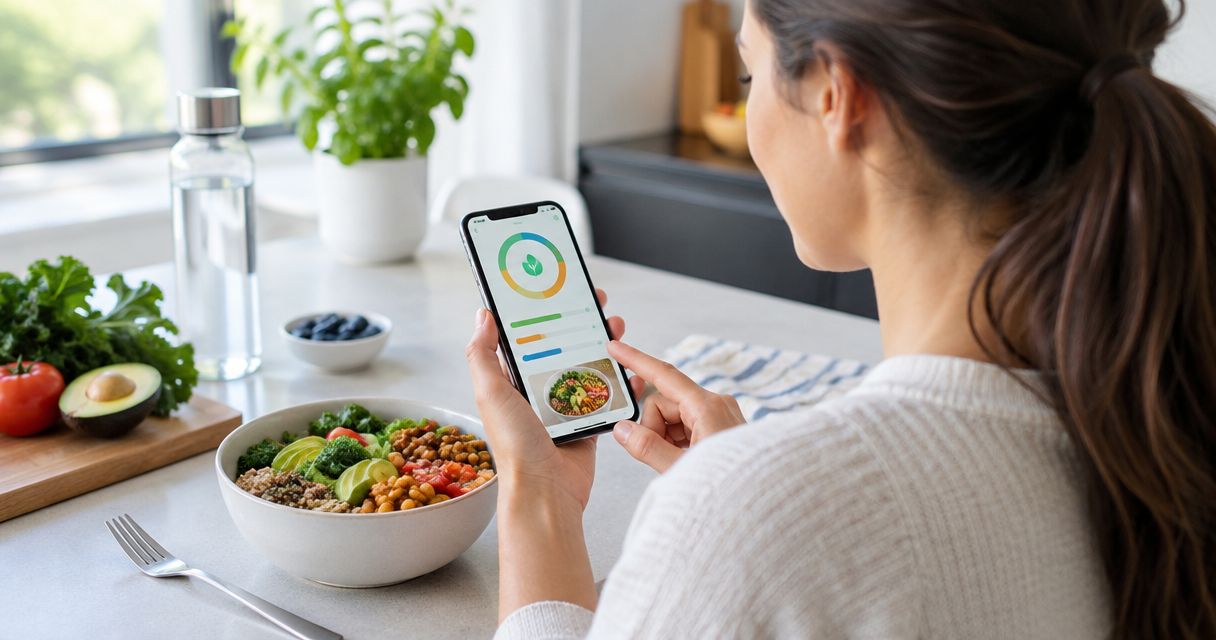
This web and mobile app lets you photograph meals to get instant estimated calorie and macro breakdowns. It also includes water and weight tracking. The main appeal is straightforward: start with your plate rather than building every meal entry from scratch.
Ashfuel is best for people who want photo-first calorie and macro tracking. That is a specific recommendation, not a claim that a photograph is the most precise way to measure food.
A photo is a useful starting point for a visible meal. It cannot show how much oil went into a pan, identify every ingredient in a sauce, or establish the weight of a serving. Keep those limits in mind when interpreting the result.
Ashfuel pros:
- Photo-based entry starts with the meal in front of you.
- Estimated calories and macros appear together.
- Water and weight tracking sit alongside food tracking.
- Web and mobile access give you different ways to use the app.
Ashfuel cons:
- Photo estimates cannot establish exact ingredient amounts.
- Mixed dishes and hidden fats require extra judgment when reviewing an estimate.
Best for: People who want meal-photo logging rather than a traditional search-first diary.
Verdict: Buy into this approach if simplifying meal entry is your priority. Treat the result as an estimate, not a measurement or medical advice.
2. Cronometer: best calorie tracking app for nutrient detail
Cronometer tracks calories, macronutrients, and micronutrients. Its strongest reason to make your shortlist is the ability to look beyond the calorie total and examine nutrients such as fiber, vitamins, and minerals.
That detail is useful when you have a specific question about your eating pattern. It is less useful when you only want a quick record of lunch and have no intention of reviewing nutrient information.
Cronometer pros:
- Brings calorie, macro, and micronutrient information into one food record.
- Supports questions about dietary patterns beyond weight change.
- Makes nutrient detail central to the tracking experience.
Cronometer cons:
- Nutrient totals depend on the food entries and serving amounts you select.
- More information gives you more to interpret, even when your goal is simple.
Best for: People who want to understand nutrient intake, not just daily calories.
Check whether the level of detail answers a real question for you. Recording an approximate serving does not become precise just because the report contains more nutrients. For homemade meals, ingredient quantities still matter.
Verdict: Buy into Cronometer if you will use the nutrient detail. Skip this level of tracking if it adds work without answering your questions.
3. MyFitnessPal: best calorie tracking app for a traditional diary
MyFitnessPal uses a food diary approach to calorie and macro tracking. You record foods and serving amounts, then review the daily totals. It suits people who prefer choosing food entries over interpreting a meal-photo estimate.
The important skill is matching an entry to what you actually ate. A food name alone is not enough: serving size, preparation, and ingredients can change the usefulness of the result.
MyFitnessPal pros:
- Provides a recognizable meal-by-meal food diary structure.
- Tracks calories and macros together.
- Lets you build a record from individual foods and serving amounts.
MyFitnessPal cons:
- Choosing a food entry does not verify that its serving matches yours.
- Meals with many components require attention to each component you record.
Best for: People who like a structured daily diary and are comfortable selecting foods manually.
Before settling into this approach, try recording a normal homemade dinner. Include the cooking ingredients, not just the foods you can see on the plate. That exercise reveals whether the diary format fits your routine better than a feature comparison does.
Verdict: Buy into MyFitnessPal if a traditional diary feels natural. Skip it if selecting foods is the step that keeps stopping you from logging.
4. Lose It!: best calorie tracking app for calorie-budget tracking
Lose It! centers food tracking on a calorie budget and weight goal. That gives you a clear organizing question: how does the food you record fit your daily target?
Choose this approach when you want a budget-led structure rather than detailed nutrient exploration. Keep the target in perspective. Staying within a calorie budget does not, by itself, show whether your meals provide the variety and nourishment you need.
Lose It! pros:
- Gives calorie logging a clear daily framework.
- Connects food records with a weight-focused goal.
- Keeps the calorie budget central to the tracking approach.
Lose It! cons:
- A daily calorie total cannot explain every change on the scale.
- Budget-focused tracking still requires attention to portions and food quality.
Best for: People who want to organize food logging around a calorie target.
Notice how a daily budget affects your experience of meals. If it encourages useful planning, the structure fits. If it makes an ordinary meal feel like a mistake, reconsider the approach rather than pushing harder to satisfy the number.
Verdict: Buy into Lose It! if a calorie budget helps you plan. Skip budget-led tracking if it creates pressure rather than clarity.
5. MacroFactor: best calorie tracking app for adaptive targets
MacroFactor uses logged food intake and weight trends to estimate energy expenditure and adjust calorie targets. Its distinguishing feature is the feedback loop between your records and your plan.
This approach suits people who want targets informed by their ongoing data. It also asks something of you: the food and weight records need to represent your routine well enough to support that feedback.
MacroFactor pros:
- Connects intake records with weight trends.
- Uses that relationship to inform calorie-target adjustments.
- Offers an alternative to treating an initial target as permanent.
MacroFactor cons:
- Adaptive feedback depends on ongoing logging.
- An expenditure estimate is not a direct measurement of calories burned.
Best for: People who want adaptive calorie targets and are willing to maintain food and weight records.
Do not confuse automatic adjustment with automatic meal tracking. The target-setting approach and the work of recording food are separate decisions. Choose this app because you want the feedback model, not because you expect it to remove the need for records.
Verdict: Buy into MacroFactor if adaptive targets are your priority. Skip it if maintaining intake and weight records does not fit your routine.
How to choose without overthinking it
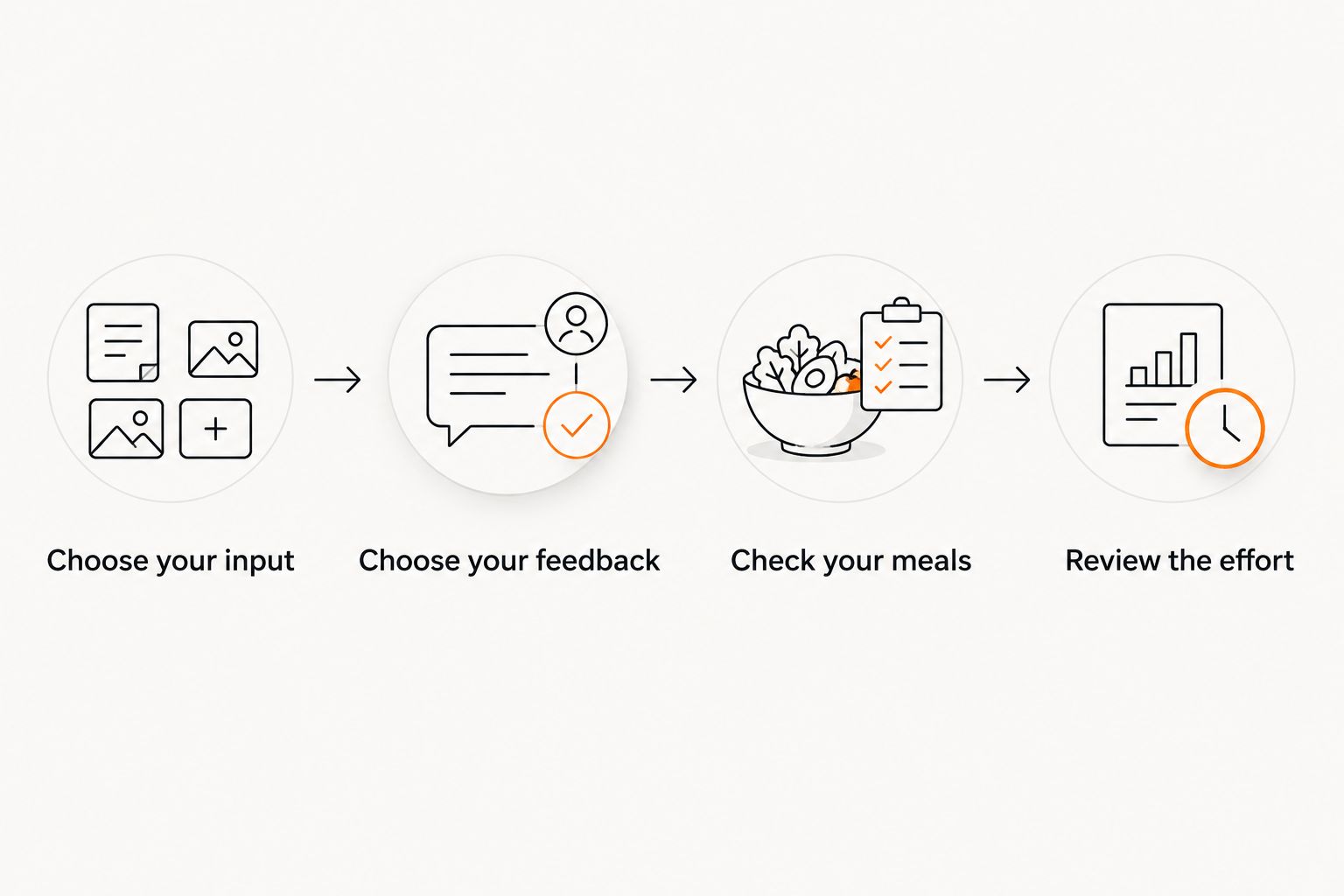
Use this sequence to narrow your 2026 options. Start with the action you will repeat most often, not the report you might open occasionally.
Choose your input
Decide whether you prefer photographing meals or selecting foods and quantities. Neither method removes uncertainty. The better starting point is the one you can use comfortably with your normal meals.
Choose your feedback
Pick the information you want to act on: calories, macros, micronutrients, or adaptive targets. Avoid choosing extra detail simply because it is there. A useful report answers a question you actually have.
Check your meals
Consider a mixed dish, a packaged snack, and a meal eaten away from home. Ask how you would record each one. Your ordinary meals are a better fit check than an unusually simple example.
Review the effort
Look at the whole routine: recording food, checking portions, reviewing results, and tracking weight if needed. Keep only the work that supports your goal. You do not need to turn every available feature into a daily task.
Understand what the calorie numbers mean
The basic energy values are about 4 calories per gram of protein, 4 calories per gram of carbohydrate, and 9 calories per gram of fat. These standard factors explain why an overlooked ingredient can change a meal estimate, particularly when it contains fat.
The app still needs usable information about the food and its quantity. A clear photograph helps show visible foods; it does not reveal a recipe. A carefully selected database entry helps describe a food; it does not measure your serving.
For any calorie tracker you choose in 2026, keep the same rule: more digits on the screen do not mean more certainty about the meal. Use estimates to understand patterns, not to judge yourself over small differences.
How these recommendations are ranked
This 2026 ranking separates apps by logging method, information depth, goal support, and daily effort. The first pick serves photo-first logging; the other picks address distinct needs rather than competing for the same use case.
The recommendations are feature-fit judgments, not results from a head-to-head accuracy trial. No app receives a precision score here. Food recognition, food-entry selection, and portion estimation are different sources of uncertainty, so a single accuracy label would hide the decision you need to make.
Which calorie tracking app should you choose?
Start with the photo-first pick if your main goal is making meal logging easier to begin. Choose Cronometer instead when nutrient detail is essential, or MyFitnessPal when you prefer a traditional diary.
Lose It! fits a calorie-budget approach. MacroFactor fits people who specifically want targets that adapt using their intake and weight records. Choose the reason you will use the app, not the longest list of features.
FAQ
What's the best calorie tracking app in 2026?
The best calorie tracking app depends on your logging method and goal. Choose photo-first logging for quick meal entry, Cronometer for nutrient detail, MyFitnessPal for a traditional diary, Lose It! for calorie-budget tracking, or MacroFactor for adaptive targets.
Are photo calorie trackers accurate?
Photo calorie trackers provide estimates, not exact measurements. A photograph cannot establish every ingredient, cooking fat, or portion weight, so review the result with those limits in mind.
Is Cronometer better than MyFitnessPal?
Cronometer is the stronger fit when detailed nutrient tracking is your priority; MyFitnessPal fits people who prefer a traditional calorie and macro diary. Choose based on the information you will actually use.
What's the difference between Lose It! and MacroFactor?
Lose It! organizes tracking around a calorie budget and weight goal, while MacroFactor uses intake and weight trends to inform adaptive calorie targets. The choice is between a budget-led structure and an ongoing target-adjustment approach.
Do I need to track macros as well as calories?
You do not need macro tracking merely to keep a calorie diary. Macros add information about protein, carbohydrate, and fat when that breakdown serves your goal; individual nutrition needs deserve personalized advice.
Can a calorie tracking app measure everything in a homemade meal?
A calorie tracking app cannot establish exact ingredient quantities from a meal name or photograph alone. Homemade recipes are easier to interpret when you know the ingredients, amounts, and share of the recipe you ate.
What should I do if calorie tracking feels stressful?
Pause or simplify tracking if it makes eating feel stressful. A registered dietitian or qualified healthcare professional can help you choose an approach that supports your wellbeing; this guide is not medical advice.
One last thing
Before changing apps, identify the part of your current routine that breaks down. Is it remembering to log, choosing the right food, estimating a serving, or understanding the result? Those are different problems.
Choose the app that addresses that specific obstacle. Better tracking does not have to mean more tracking. Sometimes it means a simpler record, an honest estimate, and less time spent thinking about the software.